



Hi,
This will explain how you can create an IAM user in AWS, so that you can grant access to only one S3 bucket.
– Create an S3 bucket in AWS account.
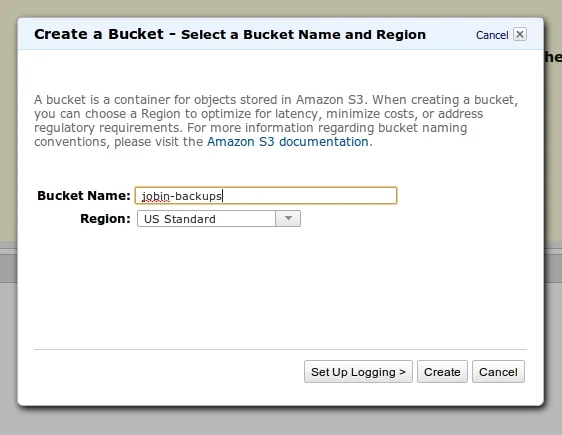
– Switch to AWS IAM tab
– Click Group >> Create Group
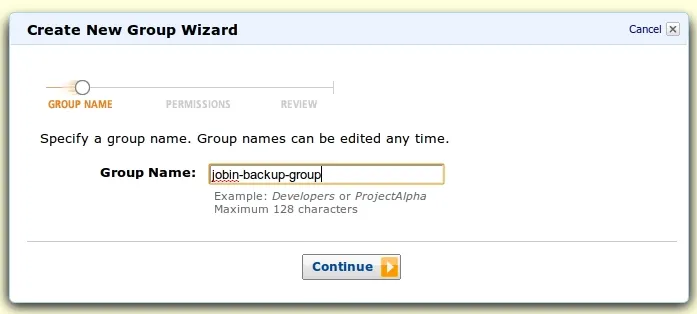
– Enter a Group Name, Click Continue
– Click Custom Policy at next screen, Click Select
– Fill The Details
You need to give the following as Policy Document
“`
{
“Statement”:[{
“Effect”:”Allow”,
“Action”:[“s3:*”],
“Resource”:[
“arn:aws:s3:::jobin-backups”,
“arn:aws:s3:::jobin-backups/*”]
}
]
}
“`
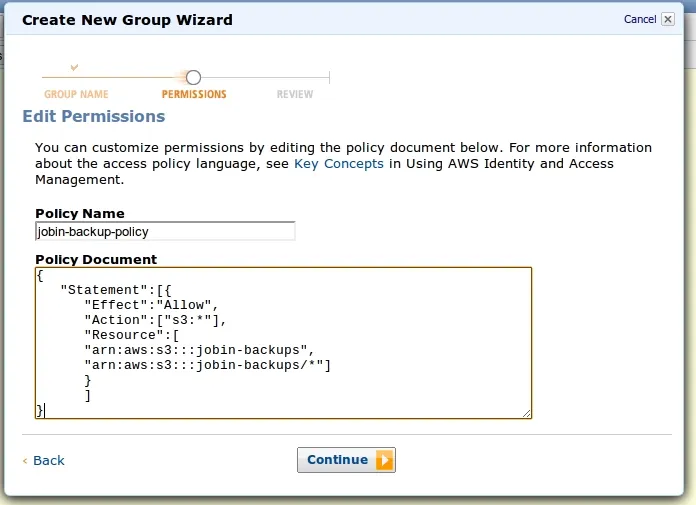
– Replace jobin-backup with your bucket name, And click Continue
– Click Create group.
– Now click Users from the Navigation pane.
– Click create new user
– Enter the UserName. Eg jobin-backups , Click create
– It will show you the SecretKey and AccessKey,
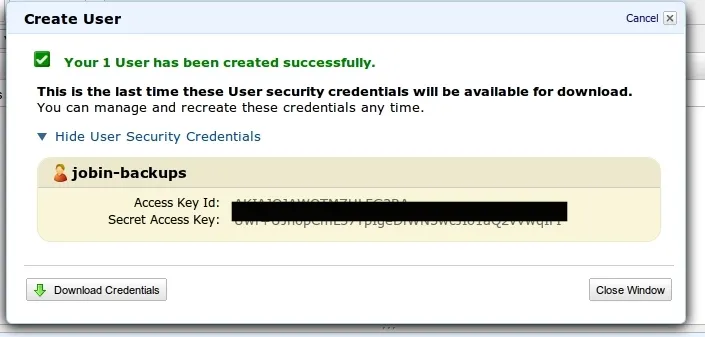
Please note it down. You dont have a second chance.
– Thats it. Now you can use the same credentials with s3cmd
